
The best home networking setup delivers fast, stable internet to every device in a household. Whether someone streams 4K movies, works from home, or plays online games, a solid network makes the difference between smooth performance and constant frustration. This guide covers everything needed to build and optimize a home network, from understanding basic requirements to avoiding common pitfalls that slow things down. By the end, readers will know exactly what equipment to buy and how to configure it for peak performance.
Key Takeaways
- The best home networking setup starts with assessing your household’s device count, internet speed, and home size to choose the right equipment.
- Mesh systems outperform traditional routers in larger homes by eliminating dead zones and providing consistent coverage up to 6,000 square feet.
- Place your router in a central, elevated location to maximize Wi-Fi coverage and reduce signal interference from walls and appliances.
- Use wired Ethernet connections for stationary devices like gaming consoles and smart TVs to free up wireless bandwidth and improve stability.
- Avoid ISP rental equipment—investing in your own modem and router improves home networking performance and saves money within a year.
- Enable WPA3 encryption, update firmware regularly, and use Quality of Service (QoS) settings to optimize both security and speed.
Understanding Your Home Networking Needs
Before buying any equipment, it helps to assess what a home network actually needs to handle. Start by counting the devices that will connect. The average U.S. household now has over 20 connected devices, including smartphones, laptops, smart TVs, gaming consoles, and IoT gadgets like thermostats and security cameras.
Next, consider how those devices get used. A family of four streaming Netflix on multiple TVs while someone works a video call demands serious bandwidth. A single person who mostly browses the web and checks email has simpler requirements.
Home size matters too. A 1,200-square-foot apartment handles differently than a 3,500-square-foot house with multiple floors. Larger homes often have dead zones where Wi-Fi signals struggle to reach. Walls, floors, and appliances all interfere with wireless signals.
Internet speed plays a role as well. There’s no point in buying a top-tier router if the ISP only provides 100 Mbps. Match the home networking equipment to the actual internet plan. Someone with gigabit fiber needs better hardware than someone on a basic cable connection.
Finally, think about future needs. Planning to add smart home devices? Working remotely more often? Building a home network with some room to grow prevents the need for upgrades in a year or two.
Essential Home Networking Equipment
A reliable home network requires the right hardware. Here’s what most households need:
Modem: This device connects to the ISP and brings internet into the home. Many people rent modems from their provider, but buying one often saves money over time. Make sure it supports the internet plan’s speeds.
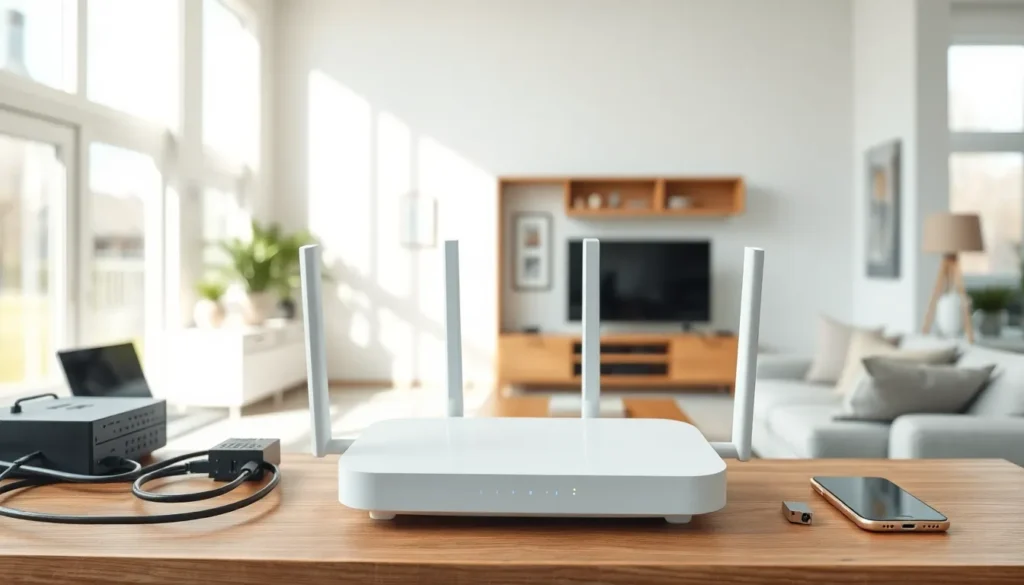
Router: The router distributes the internet connection to all devices, both wired and wireless. It’s the heart of any home networking setup. Look for routers that support Wi-Fi 6 or Wi-Fi 6E for faster speeds and better handling of multiple devices.
Ethernet Cables: Wired connections remain faster and more stable than wireless. Use Cat6 or Cat6a cables for devices that stay in one place, like desktop computers, gaming consoles, and smart TVs.
Network Switch: Homes with many wired devices might need a switch to expand the number of available Ethernet ports. An 8-port switch costs around $20-30 and makes a noticeable difference.
Routers and Mesh Systems
Traditional routers work well for smaller spaces. They broadcast from a single point and cover roughly 1,500-2,000 square feet under ideal conditions. For best home networking results in compact apartments or small houses, a quality standalone router does the job.
Mesh systems suit larger homes better. They use multiple nodes placed throughout the house to create a unified network. Devices automatically connect to the nearest node, eliminating dead zones and maintaining strong signals everywhere.
Popular mesh systems include Google Nest WiFi, Eero, and TP-Link Deco. They cost more than traditional routers but provide much better coverage. A three-pack mesh system typically covers 4,500-6,000 square feet.
Some users combine both approaches, using a powerful router as the main unit with a mesh satellite or range extender for problem areas. This hybrid setup can save money while still achieving solid home networking coverage.
Tips for Optimizing Your Home Network Performance
Good equipment only goes so far. Proper setup and maintenance keep a home network running at its best.
Place the router centrally. Wi-Fi signals spread outward in all directions. Putting the router in a corner means half the signal goes outside. A central, elevated location, like on a shelf in a hallway, provides the most even coverage.
Reduce interference. Microwaves, cordless phones, baby monitors, and even fish tanks can disrupt Wi-Fi signals. Keep the router away from these items. Neighboring networks also cause interference: switching to a less crowded channel helps.
Use the 5 GHz band for speed. Most modern routers broadcast on both 2.4 GHz and 5 GHz frequencies. The 5 GHz band offers faster speeds but shorter range. Connect devices that need speed (like streaming boxes) to 5 GHz and leave IoT devices on 2.4 GHz.
Update firmware regularly. Router manufacturers release updates that fix bugs and improve performance. Check for updates every few months or enable automatic updates if available. This simple step improves home networking security and speed.
Restart the router occasionally. A quick reboot clears the router’s memory and can resolve slowdowns. Some people schedule automatic restarts weekly during off-hours.
Prioritize bandwidth with QoS. Many routers include Quality of Service settings that let users prioritize certain devices or applications. This ensures video calls or gaming get bandwidth first, even when others are downloading large files.
Common Home Networking Mistakes to Avoid
Even tech-savvy people make errors that hurt their home networking performance. Here are the most frequent mistakes:
Using the ISP’s default equipment. Rental modems and routers from internet providers often lack features and power. They also cost $10-15 monthly in rental fees. Investing in personal equipment improves performance and pays for itself within a year.
Ignoring security settings. Many people never change the default router password or enable encryption. This leaves the network open to neighbors piggybacking on the connection, or worse, hackers accessing connected devices. Always set a strong password and use WPA3 encryption when available.
Placing the router on the floor. Wi-Fi signals travel outward and downward. A router sitting on the floor loses coverage immediately. Elevate it to waist height or higher for the best home networking range.
Overloading cheap routers. Budget routers struggle with many simultaneous connections. If the network slows down when multiple people use it, the router might be the bottleneck. Upgrading to a mid-range or mesh system solves this issue.
Forgetting about wired connections. Wireless is convenient, but Ethernet remains superior for stationary devices. Running cables to TVs, gaming consoles, and desktop computers frees up wireless bandwidth and provides faster, more stable connections.
Not planning for expansion. Adding smart speakers, security cameras, and other connected devices strains a network over time. Building in capacity from the start prevents performance issues later.