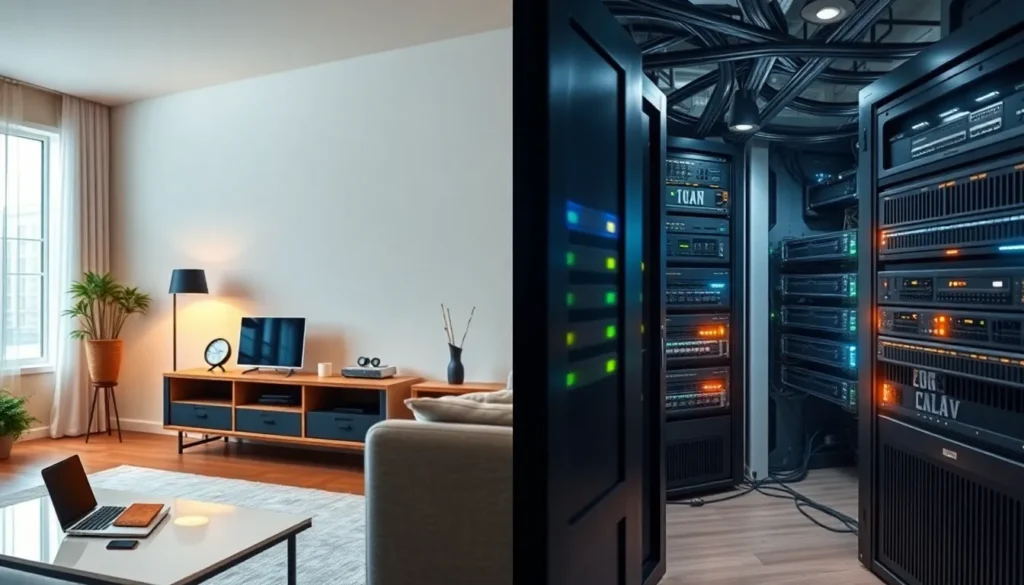

Home networking vs professional networking represents a choice that affects speed, security, and budget. Most people assume their internet setup works “well enough” until they experience lag during a video call or a security breach. The truth is, the gap between residential and commercial network solutions is wider than many realize.
This guide breaks down the core differences between home networking and professional networking. Readers will learn what separates a basic router from enterprise-grade equipment, how costs compare, and which setup makes sense for different situations. Whether someone streams movies or runs a business from their garage, understanding these distinctions helps them make smarter decisions about their network infrastructure.
Key Takeaways
- Home networking vs professional networking comes down to scale, security needs, and budget—not which option is universally better.
- A typical home network costs $200–$800 and supports 10–50 devices, while professional setups can exceed $500,000 with ongoing IT maintenance.
- Consumer-grade routers with Wi-Fi 6 and mesh systems handle most residential needs, including streaming, gaming, and remote work.
- Professional networks offer advanced features like VLANs, redundancy, and intrusion detection systems essential for businesses with compliance requirements.
- Small businesses and remote workers may benefit from prosumer equipment that bridges the gap between home networking and enterprise-grade solutions.
- Choose your network setup based on your actual requirements—overspending on enterprise gear for a home wastes money, while underspending for a business creates costly problems.
Understanding Home Networking Basics
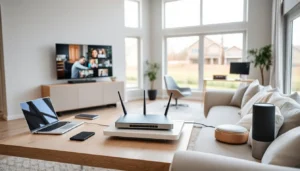
Home networking connects devices within a residential space to the internet and to each other. A typical home network includes a modem, a router (often combined into one device from the ISP), and various connected devices like smartphones, laptops, smart TVs, and gaming consoles.
The primary goal of home networking is convenience. People want their devices online with minimal effort. Most home networks use Wi-Fi, with the router broadcasting a signal throughout the house. Setup usually takes minutes, plug in the router, enter a password, and start browsing.
Common Home Network Components
- Modem: Connects the home to the internet service provider
- Router: Distributes the internet connection to multiple devices
- Wi-Fi extenders or mesh systems: Expand coverage in larger homes
- Ethernet cables: Provide wired connections for devices needing stable speeds
Home networking equipment typically handles 10 to 50 connected devices. Consumer-grade routers cost between $50 and $300, with mesh systems reaching up to $500 for premium options. These devices work well for streaming, casual gaming, and everyday web browsing.
Security on home networks relies on WPA3 encryption and basic firewall features built into the router. Most users never change default settings, which creates vulnerabilities. Still, for average household use, these protections prove adequate when combined with strong passwords.
What Makes Professional Networking Different
Professional networking operates at a completely different scale. Businesses, data centers, and large organizations require networks that support hundreds or thousands of users simultaneously. Reliability matters more than convenience here, downtime costs money.
Enterprise networks use commercial-grade hardware. Think managed switches, enterprise access points, dedicated firewalls, and network monitoring tools. This equipment handles heavier traffic loads and provides granular control over who accesses what.
Key Features of Professional Networks
- VLANs (Virtual Local Area Networks): Segment traffic for different departments or security levels
- Quality of Service (QoS): Prioritize critical applications like video conferencing
- Redundancy: Multiple pathways ensure connectivity if one component fails
- Advanced security: Intrusion detection systems, VPNs, and enterprise firewalls
- Centralized management: IT teams monitor and configure everything from one dashboard
Professional networking equipment comes from brands like Cisco, Aruba, and Juniper. A single enterprise-grade switch might cost $2,000 to $10,000. Access points designed for offices run $300 to $1,500 each.
The difference in home networking vs professional setups becomes clear in support and maintenance. Professional networks require trained IT staff or managed service providers. They need regular updates, security patches, and performance monitoring. This ongoing attention keeps business operations running smoothly.
Cost and Complexity Compared
The financial gap between home networking and professional networking is substantial. A complete home network might cost $200 to $800 total, including a good router, maybe a mesh system, and some Ethernet cables. That investment lasts several years with zero maintenance costs beyond the monthly ISP bill.
Professional networks tell a different story. Initial hardware costs alone can reach $50,000 to $500,000 for medium-sized businesses. Add installation, configuration, and ongoing IT support, and annual costs climb into six figures for larger organizations.
| Factor | Home Networking | Professional Networking |
|---|---|---|
| Initial Cost | $200–$800 | $10,000–$500,000+ |
| Monthly Maintenance | $0–$50 | $500–$10,000+ |
| Setup Time | 15 minutes–2 hours | Days to weeks |
| Technical Skill Needed | Basic | Professional IT |
| Supported Devices | 10–50 | Hundreds to thousands |
Complexity follows a similar pattern. Anyone can set up a home network by following instructions on a box. Professional networking demands certified engineers who understand subnetting, routing protocols, and security architecture.
Home networking vs professional networking also differs in troubleshooting. Home users restart their router when something breaks. Enterprise IT teams diagnose issues using packet analyzers, log files, and network monitoring software. They identify problems before users notice them.
Choosing the Right Setup for Your Needs
The right network depends on specific requirements, not on what sounds impressive. Most households function perfectly with consumer-grade equipment. A family of four streaming Netflix, playing online games, and working from home needs a solid Wi-Fi 6 router and maybe a mesh system for coverage, nothing more.
Small businesses face a harder decision. A five-person office might get by with prosumer equipment, which sits between home networking and full enterprise gear. Brands like Ubiquiti offer professional features at lower price points, making them popular for small offices, coffee shops, and home-based businesses with serious networking needs.
When Home Networking Works Best
- Standard residential use with fewer than 20 devices
- Basic security needs
- Limited technical knowledge
- Budget under $500
When Professional Networking Makes Sense
- Businesses with more than 25 employees
- Compliance requirements (HIPAA, PCI-DSS)
- Mission-critical operations where downtime is unacceptable
- Multiple physical locations needing connection
Remote workers present an interesting middle ground. Someone handling sensitive client data from home might need better security than a standard home network provides. A business VPN combined with an upgraded home router often bridges this gap without requiring a full professional setup.
Home networking vs professional networking isn’t about better or worse, it’s about matching the solution to the problem. Overspending on enterprise equipment for a three-bedroom house wastes money. Underspending on network infrastructure for a growing business creates headaches down the road.