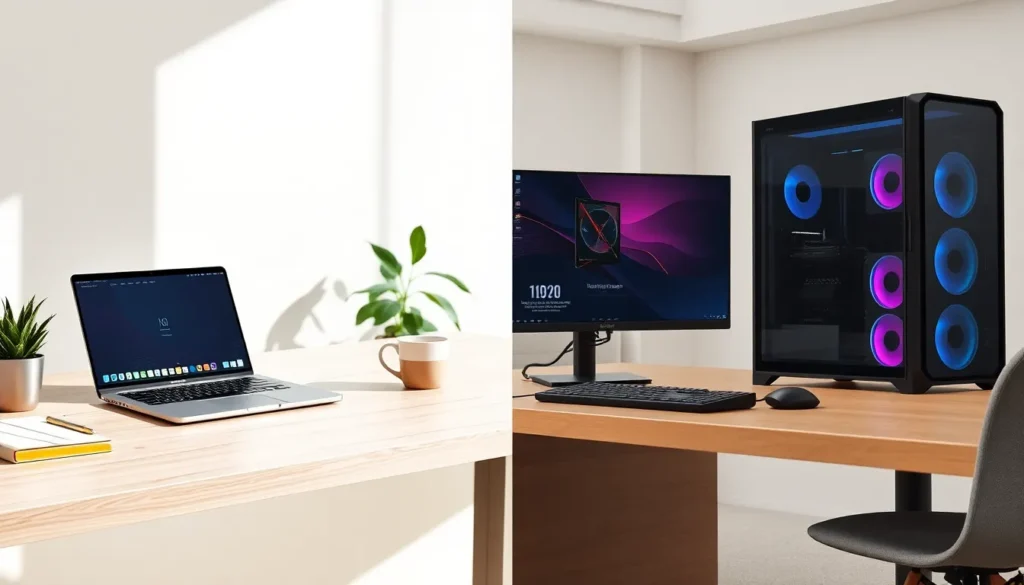

Laptops vs desktops remains one of the most common debates among computer buyers. Both options serve different needs, and the right choice depends on how someone plans to use their machine. A desktop offers raw power and easy upgrades. A laptop delivers mobility and space-saving convenience. This guide breaks down the key differences between laptops vs desktops across performance, portability, price, upgradability, and ideal use cases. By the end, readers will know exactly which option fits their lifestyle and budget.
Key Takeaways
- Desktops outperform laptops at similar price points due to better cooling, larger components, and higher sustained power for demanding tasks like gaming and video editing.
- Laptops win on portability, combining screen, keyboard, battery, and built-in features into one lightweight unit ideal for students and frequent travelers.
- When comparing laptops vs desktops on price, desktops offer more power per dollar, but laptops include built-in peripherals that add $200–$500 to a desktop’s total cost.
- Desktops allow extensive upgrades (RAM, GPU, storage, CPU), extending their lifespan to 7–10 years, while most laptops last 4–6 years with limited upgrade options.
- Choose a desktop for gaming, video production, or budget builds; choose a laptop for mobility, small spaces, or hybrid work flexibility.
- Some users benefit from owning both—a powerful desktop at home and a lightweight laptop for on-the-go productivity.
Performance and Power Differences
Desktops generally outperform laptops at similar price points. The reason is simple: desktops have more physical space. This extra room allows for larger cooling systems, bigger power supplies, and full-sized components.
A desktop can house a high-end graphics card with multiple fans. It can run a processor at higher clock speeds without overheating. Laptops must squeeze everything into a thin chassis, which limits thermal headroom. Heat forces laptop components to throttle performance to avoid damage.
For gaming, video editing, or 3D rendering, desktops deliver noticeably faster results. A mid-range desktop often matches or beats a high-end laptop in benchmark tests. The performance gap narrows for basic tasks like web browsing, document editing, and streaming video. Most users won’t notice a difference during everyday work.
Laptops have improved significantly in recent years. Apple’s M-series chips and AMD’s latest mobile processors close the gap in certain workloads. Still, desktops remain the clear winner for users who need maximum processing power and sustained performance under heavy loads.
Portability and Convenience
Laptops win the portability battle outright. They combine screen, keyboard, trackpad, and battery into one unit. Users can work from coffee shops, airports, libraries, or the couch. A laptop fits in a backpack and weighs between 2 to 6 pounds on average.
Desktops stay in one place. They require a monitor, keyboard, mouse, and constant power connection. Moving a desktop setup takes significant effort and planning.
The convenience factor extends beyond location. Laptops offer built-in webcams, microphones, and speakers. They’re ready for video calls without extra equipment. Most laptops include Wi-Fi and Bluetooth by default.
Desktops often need additional purchases for these features. A webcam, wireless adapter, and speakers add to the total cost and desk clutter.
For professionals who travel frequently or students who move between classes and home, laptops make daily life easier. Remote workers benefit from the flexibility to change their environment. Desktops suit those with dedicated home offices or workstations who rarely need to relocate their setup.
Price and Value Comparison
The laptops vs desktops price comparison isn’t straightforward. Initial costs favor desktops for equivalent performance. A $800 desktop typically offers better specs than an $800 laptop.
But, laptops include components that desktops don’t. The screen, keyboard, trackpad, speakers, webcam, and battery all come built-in. Buying these separately for a desktop adds $200 to $500 or more to the total investment.
Budget-conscious buyers find decent laptops starting around $400 to $500. Entry-level desktops start lower, but they need peripherals. The true cost comparison requires adding monitor and accessory expenses.
Long-term value differs too. Desktops last longer because users can replace individual parts. A failing power supply or outdated graphics card doesn’t mean buying a whole new system. Laptop repairs cost more and sometimes prove impossible.
For pure computing power per dollar, desktops provide better value. For all-in-one convenience and total cost of ownership, laptops often balance out, especially for users who already own monitors or peripherals from previous setups.
Upgradability and Longevity
Desktops offer far more upgrade options than laptops. Users can swap out graphics cards, add RAM, install faster storage, and replace processors. These upgrades extend a desktop’s useful life by several years.
Most laptops restrict upgrades to RAM and storage, if they allow any upgrades at all. Many modern laptops solder RAM directly to the motherboard. The processor and graphics chip can’t be replaced. Once a laptop’s core components become outdated, the entire machine needs replacement.
This difference affects long-term costs significantly. A desktop purchased today might receive a graphics card upgrade in three years and a processor upgrade in five. The same base system could remain useful for 7 to 10 years with incremental improvements.
Laptops typically last 4 to 6 years before performance falls noticeably behind. Battery degradation adds another concern. Most laptop batteries lose significant capacity after 2 to 3 years of regular use. Replacement batteries cost $50 to $150 and sometimes require professional installation.
For users who want their investment to last, desktops provide more control over the machine’s future. Laptops suit those who prefer buying new hardware every few years rather than maintaining existing equipment.
Best Use Cases for Each Option
The laptops vs desktops decision becomes clearer when matched to specific needs.
Choose a Desktop For:
- Gaming: High-end graphics cards and cooling systems deliver smoother gameplay at higher settings.
- Video Production: Faster rendering times and multi-monitor setups improve editing workflows.
- 3D Design and CAD: Demanding software runs better on desktop-class hardware.
- Home Office Work: A fixed workstation with a large monitor reduces eye strain during long hours.
- Budget Builds: Maximum performance per dollar spent.
Choose a Laptop For:
- Students: Portability between classes, libraries, and dorms proves essential.
- Frequent Travelers: Business trips and remote work require mobile computing.
- Small Living Spaces: No room for a desk and full setup? Laptops save space.
- Basic Productivity: Email, documents, and web browsing don’t need desktop power.
- Hybrid Workers: Moving between home and office demands flexibility.
Some users benefit from owning both. A powerful desktop handles demanding tasks at home while a lightweight laptop covers mobile needs. This approach costs more upfront but provides the best of both worlds.