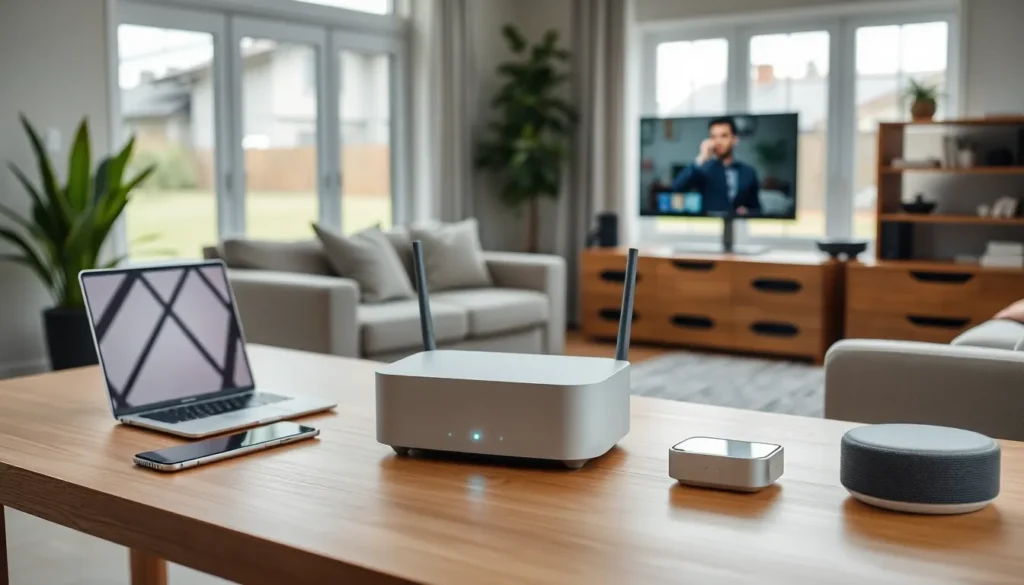

Top home networking setups have become essential for modern households. Remote work, streaming services, smart home devices, and online gaming all demand fast, stable internet connections. A weak network creates frustration, buffering videos, dropped video calls, and laggy games. The good news? Building a strong home network doesn’t require an IT degree. This guide covers the key components, optimization strategies, and setup options that deliver reliable connectivity throughout your entire home.
Table of Contents
ToggleKey Takeaways
- Top home networking setups are essential for handling 20+ connected devices, remote work, streaming, and smart home technology without frustration.
- Mesh Wi-Fi systems provide seamless coverage for larger homes, while standalone routers work well for apartments under 1,500 square feet.
- Position your router centrally and elevated for optimal signal distribution throughout your living space.
- Use wired Ethernet connections for stationary, bandwidth-heavy devices like gaming consoles, smart TVs, and desktop computers.
- Invest in Wi-Fi 6 or Wi-Fi 6E routers to future-proof your network and handle multiple devices efficiently.
- Enable Quality of Service (QoS) settings to prioritize video calls, gaming, or streaming based on your household’s needs.
Why Your Home Network Matters More Than Ever
The average American household now connects over 20 devices to Wi-Fi. That number keeps climbing. Smartphones, laptops, tablets, smart TVs, security cameras, thermostats, and voice assistants all compete for bandwidth.
Top home networking infrastructure handles this demand without breaking a sweat. Poor infrastructure doesn’t.
Consider the stakes. A dropped Zoom call during a job interview costs opportunities. Slow upload speeds delay important file transfers. Buffering during movie night annoys the whole family. Kids struggle with online assignments when connections lag.
The shift to remote and hybrid work made home networks business-critical for millions of people. Your home office connection now affects your professional reputation and productivity.
Smart home adoption adds another layer. Security cameras need consistent bandwidth to record footage. Smart locks require reliable connections to function properly. Voice assistants become useless paperweights when Wi-Fi drops.
Streaming quality depends directly on network performance. 4K content requires around 25 Mbps per stream. Multiple family members watching different shows multiply that demand quickly.
Online gaming presents unique challenges too. Gamers need low latency, the delay between action and response. High ping times make competitive games unplayable.
A solid home network solves these problems. It provides enough bandwidth for everyone, maintains stable connections across all devices, and delivers consistent performance throughout your living space.
Essential Components of a Modern Home Network
Building top home networking infrastructure starts with understanding the core hardware. Each component plays a specific role in delivering fast, reliable connectivity.
Routers and Mesh Systems
The router serves as your network’s brain. It manages traffic between devices and your internet connection. Modern routers support Wi-Fi 6 (802.11ax) or Wi-Fi 6E standards, offering faster speeds and better performance with multiple devices.
Standalone routers work well for apartments and smaller homes. They broadcast signal from a single point. Position matters, central locations deliver the best coverage.
Mesh systems suit larger homes or spaces with thick walls. These systems use multiple units that communicate with each other. They create a single, seamless network that blankets your entire home. Moving from room to room happens without disconnection or speed drops.
Top home networking mesh options include systems with dedicated backhaul channels. This feature reserves bandwidth for communication between mesh nodes, leaving more capacity for your actual devices.
Wi-Fi 6E routers access the 6 GHz band, which offers less congestion than older frequencies. This matters in dense neighborhoods where dozens of networks compete for airspace.
Network Switches and Extenders
Network switches expand wired connectivity options. They plug into your router and provide additional Ethernet ports. Wired connections deliver faster, more stable performance than wireless, ideal for gaming PCs, home offices, and media centers.
Gigabit switches handle most home needs. Power users might consider 2.5 Gigabit or 10 Gigabit options for local file transfers between devices.
Range extenders offer a budget-friendly solution for dead zones. They capture your existing Wi-Fi signal and rebroadcast it. The tradeoff? Extenders typically cut bandwidth in half since they use the same channel for receiving and transmitting.
Powerline adapters provide an alternative approach. They send network signals through your home’s electrical wiring. Performance varies based on your home’s wiring age and quality.
MoCA adapters use coaxial cable lines for similar purposes. Homes with existing coax infrastructure often see excellent results with this technology.
Tips for Optimizing Your Home Network Performance
Hardware alone doesn’t guarantee great performance. Configuration and placement decisions affect results significantly.
Position your router centrally and elevated. Wi-Fi signals travel outward and downward. A router tucked in a basement corner leaves upstairs bedrooms underserved. Mount it on a wall or place it on a high shelf in a central location.
Top home networking setups separate device traffic intelligently. Most modern routers support band steering, which automatically assigns devices to optimal frequencies. The 5 GHz band offers faster speeds over shorter distances. The 2.4 GHz band reaches farther but runs slower and faces more interference.
Update firmware regularly. Manufacturers release updates that fix bugs, patch security holes, and sometimes improve performance. Enable automatic updates when available.
Use wired connections for stationary, bandwidth-hungry devices. Smart TVs, gaming consoles, and desktop computers benefit from Ethernet cables. This also frees up wireless bandwidth for mobile devices.
Change default Wi-Fi channel settings if you experience interference. Apps like Wi-Fi Analyzer show which channels your neighbors use. Switching to a less crowded channel can boost speeds noticeably.
Enable Quality of Service (QoS) features. These settings prioritize certain types of traffic. You might prioritize video calls during work hours or gaming traffic in the evenings.
Restart your router monthly. This clears memory and can resolve slowdowns. Some routers offer scheduled automatic restarts.
Secure your network with WPA3 encryption and a strong password. Unauthorized users consume bandwidth and create security risks.
Choosing the Right Setup for Your Needs
The best top home networking solution depends on your specific situation. Budget, home size, device count, and usage patterns all influence the ideal choice.
Small apartments under 1,500 square feet typically work fine with a quality standalone router. Wi-Fi 6 models from reputable brands handle most household needs. Expect to spend $100-200 for solid performance.
Medium homes between 1,500-3,000 square feet often benefit from mesh systems. Two or three-unit configurations cover most layouts effectively. Budget $200-400 for capable options.
Large homes over 3,000 square feet or multi-story properties usually require mesh systems with additional nodes. Some users combine mesh with strategic Ethernet runs for best results. Plan for $300-600 or more.
Gaming-focused households should prioritize low latency features. Look for routers with gaming modes, traffic prioritization, and ideally, wired connections for gaming devices.
Home offices need reliability above all. Consider business-grade equipment with better warranty support. Backup internet options, like a mobile hotspot, provide insurance against outages.
Smart home enthusiasts should verify device compatibility. Some older smart devices only support 2.4 GHz networks. Ensure your router handles both frequencies well.
Top home networking equipment lasts several years when chosen wisely. Invest in current standards like Wi-Fi 6 or 6E to avoid premature obsolescence. The upfront cost pays dividends in daily performance and longevity.